

"Files required to use Windows Update are no longer registered or installed"
Fix that worked for me (XPSP3)
1. Download older Update Agent
http://go.microsoft.com/fwlink/?LinkId=43264
2. Make a shortcut to the .exe file
3. Right Click the shorcut - select properties
4. On the Shortcut tab, add /wuforce after the path in the Target (example:"...\WindowsUpdateAgent20-x86.exe" /wuforce"
5. Run Update - It will act like "Microsoft Update" was never added.
Showing posts with label computer software. Show all posts
Showing posts with label computer software. Show all posts
Friday, June 12, 2009
Fix Windows Update Error: "Files required to use Windows Update are no longer registered or installed"
Wednesday, June 10, 2009
Microsoft Windows 7 Build 7100 Release Candidate 1 (Direct Links)

Download instructions
Thank you for testing the Windows 7 Beta. You're playing an important role in helping deliver the best version of Windows yet. Now, we hope you'll join us for the next part of the Windows 7 journey, testing the Windows 7 Release Candidate (RC).
This is the really fun part of the testing process: you help by simply using the RC. When you do, your PC will automatically and anonymously send our engineers the information they need to validate the changes and fixes they made based on the Beta tests and your feedback.
Read this first
Here's what you need to know before you get started:
* You don't need to rush! The RC will be available at least through July, and we're not limiting the number of downloads or product keys. So you have plenty of time.
* Installation: If you are running Windows 7 Beta you’ll need to back up your data (preferably on an external device) and then do a clean install of the Windows 7 Release Candidate. Then, you’ll need to reinstall applications and restore your files. If you need help, please see the Installation Instructions.
* Tech details/updates: before installing the RC, please read the Release Notes and Things to Know for important information about the release.
* Routine news: For day-to-day news, keep an eye on the team blog. And, you can get non-technical news, tips, and offers by subscribing to the monthly Exploring Windows newsletter.
* Back up your data: We know you know this already, but please back up your data and please don't test the RC on your primary home or business PC.
* Keep your PC updated: To get critical updates, be sure to turn on automatic updates in Windows Update.
* Remember expiration dates: Please plan ahead for the Beta and RC expiration dates. To avoid interruption, you’ll need to rebuild your test machine using a valid version of Windows before the software expires. Windows will notify you that the expiration process is beginning and two weeks later your PC will begin shutting down every two hours. The Beta expires on August 1, 2009, and bi-hourly shutdowns will begin July 1, 2009. The RC will expire June 1, 2010, and the bi-hourly shutdowns will begin on March 1, 2010. In both cases, you’ll need to rebuild your test PC to replace the OS and reinstall all your programs and data. (Microsoft Official Site)
Serial:
32-bit:
6JKV2-QPB8H-RQ893-FW7TM-PBJ73
4HJRK-X6Q28-HWRFY-WDYHJ-K8HDH
QXV7B-K78W2-QGPR6-9FWH9-KGMM7
TQ32R-WFBDM-GFHD2-QGVMH-3P9GC
GG4MQ-MGK72-HVXFW-KHCRF-KW6KY
CRJ8X-Q3D3G-V6T98-HMX62-2W3KX
64-bit:
D9RHV-JG8XC-C77H2-3YF6D-RYRJ9
JYDV8-H8VXG-74RPT-6BJPB-X42V4
7XRCQ-RPY28-YY9P8-R6HD8-84GH3
482XP-6J9WR-4JXT3-VBPP6-FQF4M
RFFTV-J6K7W-MHBQJ-XYMMJ-Q8DCH
XGD8W-B6WBM-8FDJ2-R43TQ-XP3KM
And more:
MM7DF-G8XWM-J2VRG-4M3C4-GR27X
KGMPT-GQ6XF-DM3VM-HW6PR-DX9G8
MVBCQ-B3VPW-CT369-VM9TB-YFGBP
KBHBX-GP9P3-KH4H4-HKJP4-9VYKQ
BCGX7-P3XWP-PPPCV-Q2H7C-FCGFR
RGQ3V-MCMTC-6HP8R-98CDK-VP3FM
Q3VMJ-TMJ3M-99RF9-CVPJ3-Q7VF3
6JQ32-Y9CGY-3Y986-HDQKT-BPFPG
P72QK-2Y3B8-YDHDV-29DQB-QKWWM
6F4BB-YCB3T-WK763-3P6YJ-BVH24
9JBBV-7Q7P7-CTDB7-KYBKG-X8HHC
C43GM-DWWV8-V6MGY-G834Y-Y8QH3
GPRG6-H3WBB-WJK6G-XX2C7-QGWQ9
MT39G-9HYXX-J3V3Q-RPXJB-RQ6D7
MVYTY-QP8R7-6G6WG-87MGT-CRH2P
NOTE: You can directly download from those URL, but you'll need to paste it into your browser's address bar.
Home page - http://www.microsoft.com/windows/windows-7/
Download Instruction:
http://www.microsoft.com/windows/windows-7/download.aspx
Download English 32 bit:
http://wb.dlservice.microsoft.com/dl/download/release/windows7/4/0/c/40c1e714-7910-4b38-9b5e-67fa522e6a44/7100.0.090421-1700_x86fre_client_en-us_retail_ultimate-grc1culfrer_en_dvd.iso
Download English 64 bit::
http://wb.dlservice.microsoft.com/dl/download/release/windows7/e/b/5/eb58e76e-17fa-409b-855f-11fbe84d1c93/7100.0.090421-1700_x64fre_client_en-us_retail_ultimate-grc1culxfrer_en_dvd.iso
Download German 32 bit:
http://wb.dlservice.microsoft.com/dl/download/release/windows7/3/e/8/3e8c56ac-aa6c-4625-aefe-babca04d7d17/7100.0.090421-1700_x86fre_client_de-de_retail_ultimate-grc1culfrer_de_dvd.iso
Download German 64 bit:
http://wb.dlservice.microsoft.com/dl/download/release/windows7/b/8/f/b8fd9862-ce05-4bf1-a433-00323e3b84be/7100.0.090421-1700_x64fre_client_de-de_retail_ultimate-grc1culxfrer_de_dvd.iso
Download Spanish 32 bit:
http://wb.dlservice.microsoft.com/dl/download/release/windows7/4/0/3/40396022-2512-4faf-b48d-23098992a7ec/7100.0.090421-1700_x86fre_client_es-es_retail_ultimate-grc1culfrer_es_dvd.iso
Download Spanish 64 bit:
http://wb.dlservice.microsoft.com/dl/download/release/windows7/2/7/a/27a473bd-aee9-449b-b04c-d8c31b6f6465/7100.0.090421-1700_x64fre_client_es-es_retail_ultimate-grc1culxfrer_es_dvd.iso
Download French 32 bit:
http://wb.dlservice.microsoft.com/dl/download/release/windows7/7/6/c/76c2a32e-dd97-411a-a5ac-79e78714a8eb/7100.0.090421-1700_x86fre_client_fr-fr_retail_ultimate-grc1culfrer_fr_dvd.iso
Download French 64 bit:
http://wb.dlservice.microsoft.com/dl/download/release/windows7/e/6/4/e642aa9b-74d7-4e17-9b3d-4e23b2b675be/7100.0.090421-1700_x64fre_client_fr-fr_retail_ultimate-grc1culxfrer_fr_dvd.iso
Download Japanese 32 bit:
http://wb.dlservice.microsoft.com/dl/download/release/windows7/9/a/6/9a6f258d-a805-4650-a2df-3e529e23077b/7100.0.090421-1700_x86fre_client_ja-jp_retail_ultimate-grc1culfrer_ja_dvd.iso
Download Japanese 64 bit:
http://wb.dlservice.microsoft.com/dl/download/release/windows7/8/8/3/88308d77-79d0-47c3-8733-84ed6ebb75fb/7100.0.090421-1700_x64fre_client_ja-jp_retail_ultimate-grc1culxfrer_ja_dvd.iso
SOFTWARE PACK 2009

Thic pack includes :
All in One
12 Adobe Portables Collection
AIO Disk Image 2008
AIO Uniblue Products 2009
ImTOO Software All In One 2009
Best Hacking Tools - 85 in 1
Best Portable Soft 2009 40 in 1
ZC Software DVD Authoring Software 2009 and more......
AIO StarDock Applications September 2008
Bit Defender - All Product 2009
Auslogics AIO Pack 2009
Media Plugins & Players
DFX Audio Enhancer 9.102
Real Player v.11.0.9.372 Gold Premium
MediaMonkey Goid 3.1.0.1228
GOM Player 2.1.17.4710
FabFilter Pro-C VST RTAS 1.12
Winamp PRO 5.551 Build 2419
BSPlayer Pro v2.37.992B
CyberLink PowerCinema 6 v6.0.0.1309 Multilingual
CyberLink PowerDVD Ultra v9.0.1501 Multilingual
VLC Media Player v0.9.9
Portable
Adobe Photoshop CS4 v11.0 Portable
All Office Converter Platinum 6.1 Portable
CuteFTP Pro v.8.3.2 Build 09.02.2008.1 Portable
Instant Color Picker 2.5
IP Address Searcher 1.1.2
Flash Player Pro v3.9 Portable
Kaspersky Anti-Virus 2009 Portable
CorelDRAW Graphics Suite X4 Portable
IDM 5.15 Build 6 Portable
Nero 9.2.6.0 Retail Portable
Graphics & Designs
Nature Illusion Studio v3.00
Pictomio 1.2.28
DreamLight Photo Editor v3.0
Frame Photo Editor 3.2.0
ImageConverter Plus 7.1.20 build.80708
Blumentals Screensaver Factory Enterprise v5.0
CorelDRAW Graphics Suite X4 14.0.0.701 SP2
Photoshop CS4 Extended
ACDSee Pro 2.5.363
Picture Collage Maker 2.0.5 Build 2029
Editor & Authoring Tools
AoA DVD Creator 2.1.7
Aurora Web Editor 2008 Professional v5.2.1
AutoPlay Menu Builder v5.6.1406
MP3 Audio Editor 7.8.1
NGWave Audio Editor v4.4.20090404
Photodex ProShow Gold 4.0.2479
Photodex ProShow Producer 4.0.2479
Video Thumbnails Maker 2.0.1.0
Website Layout Maker Ultra Edition v2.5.7.0
Microsoft Visual Studio Team System 2008
Desktop Enhancements
360desktop v0.5.4.1479
Active Desktop Calendar 7.66 Build 081121 32-bit
CubeDesktop.Pro.1.3.1
Dream Render 2.20
EarthDesk Pro 4.5.2
Perfect Clock V3.1
RealWorld Cursor Editor 2007.1
RocketDock v1.3.5
Shock Aero3D
Snow for Windows 1.6
Stardock Desktop Pet 1.00
Stardock Fences v0.96.1533
Stardock IconPackager 4.2
Stardock SoundPackager 1.20.28.0
Talisman Desktop v3.0.3006
Total Stardock Application Suite 2009
ViennaDock 2.0
Webshots Desktop 3.1.1.7317
WindowBlinds 6.4 Build 73
XWindows Dock 5.2.1
Operating System
CyberXP Xtreme (BETA) New Update 2009
Extra Small Windows XP USB Flash Edition 2009
Extreme Seven 2009 Premium - SP3 - Final - April 2009
Fedora 10
Ghost Windows XP SP3 Pro With Seven Black Style YN 9.9.1 Drivers
iDeneb v1.4 10.5.6 for IntelAMD (Mac OSx86 Leopard)
MacOSX 10.5.6
Microsoft Windows 7 Ultimate Beta 1 Build 7022 32Bit
Microsoft Windows Vista SP2 32Bit Build 6002 16659
Microsoft Windows Vista ULTIMATE x86 SP1 Integrated February 2009
Microsoft Windows Vista Ultimate x86 SP1 OEM Pre-Activated February 2009 2CDs
Microsoft Windows Server 2008 12in1 MSDN DVD-CRBS
Ubuntu 8.10 Intrepid Ibex
Vortex XP Vista Style Third generation (3G-RED) 2009
Windows Royal Home Premium 2009 SP1
Windows Server 2003 Special Edition CD (10 in 1)
Windows Vista Black Dream Child Forever Full (January 2009)
Windows Vista InSpirat SP3 Ultimate Edition 2009
Windows Vista x64 SP1 Gamers Edition
Windows Vista® Eternity™ 2009 SP1 X86 (Genuine Version)
Windows XP Pro Asus EEE Edition 80MB
Windows XP PRO SP3 VistaVG Black and Blue Ultimate Style 2009
Windows XP Professional SP3 Corporate February 2009
Windows XP Professional SP3 Corporate March 2009
Windows XP Se7en Lite 2009 Build 2
Windows XP SP3 Dark Edition V.7 Rebirth Refix Version ( 1 CD )
Windows XP Unattended Edition 2009 by DarkSide XP
Windows XP Vista Lite 2009 v2.5
Windows XP-Se7en 2009 Build 7000 Basic Bootable DVD for MultiPC and Notebooks
Windows XP Pro SP3 Full Untouched (New Update)
System Tools
Acronis True Image Home 2009 12 build 9785
Active@ File Recovery 7.3 Build 121
CachemanXP 1.8.0.15
CopyFaster 1.0
Deep Freeze Standard 6.41.021.1973
Dr.Hardware 2009 v9.9.2e
Perfect Uninstaller 6.3.3.0
Power Memory Booster v6.1.0.3862
Recover My Files 3.98 Build 6356
Vopt 9.12
Shadow Defender 1.1.0.275
Startup Organizer 2.9.297 SR2
Super Utilities Pro 9.45
Repair Harddisk Bad Sector Pro 2009
SuperCopier 2
TuneUp Utilities 2009 v8.0.2000.35
TurboLaunch v5.1.1
Vista Manager 2.0.6
WinXP Manager 6.0.3
Your Uninstaller! PRO 2008 6.2.1347
Internet & Network Tools
µTorrent v1.9 Build 14908
cFosSpeed 4.51 Build 1489
Firefox Slim 3.0.7
Gbridge 1.0.0.1193
HiDownload Pro v7.28
Internet Download Manager 5.16
Opera 10.0 Build 1413 Alpha
Pidgin 2.5.5
TeamViewer 4.0 Build 5769
WebcamMax v5.1.1.12
Office Tools
Babylon 7.5.2.r13 Multilang
Classic Menu For Office 2007 4.00
Foxit PDF Editor v2.0.1011 2009
Foxit Reader Pro 3.0 Build 1301
Lingoes 2.5.3
Microsoft Office 2007 Blue Edition
Microsoft Office Enterprise 2007 (Highly Compressed)
Microsoft Office Professional Plus 2007 With SP2 Build 12.0.6416.1000
MTD9 EVA 2009
xNeat Cipboard Manager 1.0.0.6
Burning - Converter - Ripper
BurnAware Professional 2.3.2
Extra DVD Ripper Express v6.5
FairStars Audio Converter 1.80
Nero 9.2.6.0
Opell Video Converter v2.2.2
Power Video Converter 2.2.4
Total Video Converter 3.21
Xilisoft Audio Converter 2.1.74.0303
Xilisoft DVD Ripper Ultimate 5.0.49.0310
Xilisoft Video Converter Ultimate 5.1.23.0402
Virtual & CD DVD Tool
Alcohol 120% 1.9.8.7530
AnyDVD & AnyDVD HD v6.5.2.8
AoA DVD Creator 2.1.7
Daemon Tools Pro Advanced 4.30.304.47
Droppix Recorder v2.9.0.0
DVDFab Platinum 5.3.2.0
GameJackal Pro 3.2.0.6
UltraISO Premium Edition 9.3.3 Build 2685
VSO ConvertXToDVD v3.5.3.139
Xilisoft DVD Creator 3.0.40.0313
Security
AVG Internet Security 8.5.281 Build 1448
BitDefender Total Security 2009 Build 12.0.144
Kaspersky Internet Security 2009 8.0.0.506
Lavasoft Ad-Aware Anniversary 2009 Professional Edition 8.0.3
Malware Defender v2.1.1
Norton Internet Security 2009 16.2.0.7
Spyware Doctor v6.0.1.440
Trojan Remover 6.7.6 Build 2568
TrojanHunter 5.0 Build 968
USB Disk Security 5.1.0.15
Others
Active Lock 2.0
Advanced PDF Password Recovery 5.02
Genuine Windows 2.6
PowerArchiver 2009 11.50.23
Salfeld Child Control 10.115.0.0
ThinApp 4.0.2.3089
Universal Maps Downloader 4.0
Universal Viewer Pro v3.8.5
USB Safely Remove 4.1.2.777
WinRAR 3.80
Download:
http://rapidshare.com/files/221886612/JinoL_YoDownload_SoftwaresPack_09_TinyVer_www.dl4all.com.part1.rar
http://rapidshare.com/files/221886636/JinoL_YoDownload_SoftwaresPack_09_TinyVer_www.dl4all.com.part2.rar
http://rapidshare.com/files/221886576/JinoL_YoDownload_SoftwaresPack_09_TinyVer_www.dl4all.com.part3.rar
http://rapidshare.com/files/221886560/JinoL_YoDownload_SoftwaresPack_09_TinyVer_www.dl4all.com.part4.rar
http://rapidshare.com/files/221886595/JinoL_YoDownload_SoftwaresPack_09_TinyVer_www.dl4all.com.part5.rar
http://rapidshare.com/files/221886580/JinoL_YoDownload_SoftwaresPack_09_TinyVer_www.dl4all.com.part6.rar
http://rapidshare.com/files/221886554/JinoL_YoDownload_SoftwaresPack_09_TinyVer_www.dl4all.com.part7.rar
http://rapidshare.com/files/221886379/JinoL_YoDownload_SoftwaresPack_09_TinyVer_www.dl4all.com.part8.rar
AVG Antivirus vs. ClamWin
I have been using ClamWin now for a year or so. I liked the fact that it has a smaller footprint.
I was getting ready to try AVG Free again, when I noticed in the license that it was only free for personal use, and specifically excluded non-profit businesses from the license.
I get excluding business, but why Non-Profits? Just feeling uncharitable?
ClamWin is a Sourceforge open source project.
Anyway, no infections using ClamWin, so I continue on.
In addition, I use:
Windows Firewall (installed by default on XP and up)
Windows Defender
Firefox and Chrome
(Kim Kommando has her own set of recommendations for free security software)
Links:
ClamWin
AVG Free
Tuesday, June 9, 2009
Antivirus Software : Avast Antivirus 2009 v4.8.1282 Lifetime License

Protect your system and valuable data against computer viruses with Avast! Professional Edition.
Avast! 4 Professional Edition is a collection of award winning, high-end technologies that work in perfect synergy, having one common goal: to protect your system and valuable data against computer viruses. It represents a best-in-class solution for any Windows-based workstation. This page demonstrates its most important features and provides links to further resources.
NOTE:
This product cannot be installed on a server operating system (Windows NT/2000/2003 Server families).
Here are some key features of "Avast! Professional Edition":
· Antivirus kernel
· Automatic updates
· Simple User Interface
· PUSH updates
· Enhanced User Interface
· Virus Chest
· Resident protection
· System integration
· Script blocker
· Command-line scanner
· P2P and IM Shields
· Integrated Virus Cleaner
· Network Shield
· Support for 64-bit Windows
· Web Shield
· Internationalization
Requirements:
· For a computer running Windows 95/98/Me: 486 Processor, 32MB RAM and 50MB of free hard disk space.
· For a computer running Windows NT 4.0: 486 Processor, 24MB RAM and 50MB of free hard disk space and Service Pack 3 (or higher) installed
· For a computer running Windows 2000/XP Workstation (Not Server): Pentium class Processor, 64MB RAM (128MB recommended) and 50 MB of free hard disk space
· For a computer running Windows XP 64-bit Edition: An AMD Athlon64, Opteron or Intel EM64T-enabled Pentium 4 / Xeon processor, 128MB RAM (256MB recommended) and 50 MB of free hard disk space
· For a computer running Windows Vista: Pentium 4 processor, 512MB RAM and 50 MB of free hard disk space
· The program itself requires about 20MB of hard disk space; the remainder of the recommended space is reserved for the virus recovery database file and its index (VRDB, also known as the "integrity database" from the previous version).
· A functional MS Internet Explorer 4 or higher is required for the program to work.
Enjoy It fellow
Download:
http://rapidshare.com/files/191541632/_www.dl4all.com_Avast_AntiVirus_2009_Pro__v4.8.1282_Plus_Serial___life_time.rar
Saturday, June 6, 2009
Internet Explorer Freezing - How to Fix Internet Explorer Freezing Problems the Easy Way
Tired of Internet Explorer Freezing? Want to know how to fix Internet Explorer so that it doesn't freeze up? Well you have come to the right place. Although a solid program, IE does come with quite a few flaws unfortunately. One of those flaws is that at random times it seems to freeze up on you. Before we get to how to fix Internet Explorer freezing, it is important to understand what causes it.
IE freezing is due to a breakdown in the communication between the browser and your computer. When the computer can no longer communicate with the browser, Internet Explorer does not know what to do. At this point it will freeze, lock, or crash.
So in order to repair IE, we need to fix the gap in the communication process. This gap lies within the Windows registry. The registry is the area that controls all communication between your system, software, and hardware. It contains all data to execute commands when running software and hardware.
So in order to stop Internet Explorer freezing, you need to repair the Windows registry. Unfortunately this can be more difficult than you think. The registry is an extremely sophisticated and sensitive area. Manual repair of the registry can cause even more problems if you don't know EXACTLY what you are doing.
So if you are not a computer expert, I highly recommend downloading a registry repair tool to fix Internet Explorer freezing. If you are interested you can check out some reviews of the top products below, as well as my recommendation for the #1 cleaner on the market. A free scan is also available, you can have a first hand look at the registry errors that are causing this particular problem.
Sick of your computer freezing up? Want to repair computer errors the easy way? Scan your computer for free and fix corrupt registry problems with the #1 registry cleaner on the internet. After scanning your computer, I promise you will be quite surprised by all the errors on your system.
http://www.registry-clean-up.net
Jim Marshall is a computer technician expert with over 15 years in the industry. He has an intimate knowledge of the windows registry and various register repair software. After testing some of the top registry cleaners on the market, he has created a comprehensive review site that details his findings.
Article Source: http://EzineArticles.com/?expert=Jim_Marshall
Friday, June 5, 2009
Clean Your Registry to Optimize Your PC
So when does someone know if it has become time to repair, clean and optimize the windows registry? The registry is actually one of the most important components of your entire computer. The registry is the place where your system stores all of it's setting for all the different software applications that you have ever installed onto your computer. It also hold the data for your personal preferences and those of each computer user.
Over a period of time, usually several months, excessive software installs and incorrectly un-installed programs can clutter the system registry making it extremely large in size and therefore it takes the computer longer to perform it's functions. This cluttering can also cause your computer to have numerous errors and random and unexpected crashes. Normally someone might take their computer in for repairs thinking that the problem was hardware based or maybe caused by a virus or spyware. The truth is, it may have only been a simple problem with the registry that would only take a few minutes to fix.
A quality registry optimizer and cleaner is able to automatically scan your system for errors and then fix them. They will either fix them all or give you the option to pick and choose. Regardless of which option you choose, almost all registry repair programs come with a backup or restore feature so that you can always reverse what changes you make.
With all the different software programs to choose from, it can be a challenge finding which one is best and will do the best job. One thing to keep in mind are the awards the software has received. Can these be verified on their websites or are they just faked? Also are these awards given from authority sites that are reputable and respectable?
By the time you decide to download a registry cleaner, it may seem as though your computer is ready to die. You might know the feeling that it seems to take forever just for your computer to startup or do simple tasks that once took mere seconds. It can become quite frustrating while watching online movies to notice it glitch every few seconds.
After a recommendation from an IT friend, I downloaded a free software program and then performed a scan on my system. I waited a few minutes and the software actually came up with 639 different errors. I promptly chose to delete them all as I am not very tech-savvy and have no idea what it had found, but I always knew I could restore my old registry if I needed to for any reason.
What was truly amazing, was that my computer now operated similarly to how it did when I first purchased it over a year ago. It can also handle having several software applications running at the same time that it wasn't able to do recently.
ll you then need to do is to perform a regular once-a-month or even weekly scan to keep the performance of your PC at it's best.
Published At: http://www.isnare.com
Permanent Link: http://www.isnare.com/?aid=364815&ca=Computers+and+Technology
Thursday, June 4, 2009
Free Home Inventory Software – a Case For Use
Free Home Inventory Software - Itemizing what you own can save you time and money if you ever need to make a claim on your homeowners or renters insurance. As time passes, most of us acquire more things that have a sentimental value as well as monetary value. It’s a good idea to maintain an ongoing inventory of your personal property even after you’ve obtained homeowners or renters insurance.
Having a home inventory on file can help expedite any claims you may have to make on your homeowners or renters policy. The insurance company can resolve a claim faster if a homeowner has documentation of items that are damaged or stolen from your home or apartment. A home inventory checklist can help with filing accuracy and help you determine how much insurance to purchase, too.
Starting Your Home inventory.
f you purchase homeowners insurance for the first time, make it a goal to complete your inventory within a set period of time. Advice is to take an inventory of your home before you purchase your policy so you can get an idea of how much insurance to purchase.
Choosing The Type of Home Inventory To Use.
ou can purchase a software program, download a free 30 day program from the internet, download a sheet from the internet, or a list provided by your insurance company. You want to first complete a paper inventory as you go through the rooms in your home, then transfer that information to your computer for filing, and save on a CD. Always keep the hand written copy in a file.
How and What to Inventory.
o through each room of your home to photograph and video furnishings, jewelry, electronic items to include TVs, VCRs, CD players, DVDs. The photos should be specific of each item.
The photographed items should be saved on a disk if using a digital camera. When going through each room, it would be a good idea to have a family member with you to verify that you’ve covered everything.
Listing Items
ake sure every item is listed by the following: Item type, serial number and model number of TVs, VCRs, DVD player, speaker system and any other electronic items. Jewelry item type, cost, and size.
Updating Inventory on a Regular Basis.
eview the inventory on a yearly basis. Also items that you have acquired.
Saving your Home Inventory.
ake sure you keep a copy of your inventory in a safe place, on a CD disk, and a handwritten copy in a safe deposit box and with a close friend or relative. The goal is to make sure you have easy access to the inventory in case you need to make a claim with the insurance company.
Be sure to provide a copy of your inventory to your insurance company. This is obviously critical, because if you do not provide a copy and follow up on the process the whole idea of keeping your belongings itemized will be lost. Follow this whole process and you will better off.
Published At: Isnare Free Articles Directory http://www.isnare.com
Permanent Link: http://www.isnare.com/?aid=373331&ca=Computers+and+Technology
Wednesday, June 3, 2009
Why Screensavers Are Becoming More Popular Than Ever
Years ago, screensavers were popular even though they were static photos or pictures, normally of animals or landscapes, other wise known as Vista Screensavers. Today, thanks to the advances in computing, these popular screensavers are visual masterpieces - No longer static, I watch as birds fly across my screen, or dinosaurs romp through.
Some years ago I recall having to pay for a fish tank screensaver which did not deliver much in the way of comfort when watching it - I was really wanting a screensaver that I could watch to relax when the day became to hectic. Needless to say I did not spend too much time watching that screensaver.
The other day, a friend was using my PC and commented about my lack of screensavers. I didn't want to pay for another screensaver - I figured it would be easier to just download some holiday snaps from my camera and use those photos on my screen as a slide show. I then realised that this would probably depress me more than cheer me up - I didn't want to spend my spare time wishing the year away until I got leave again.
I ran several searches on Google and to my surprise found that there is one place where I was able to download a screensaver toolbar for free - no registration required, and no having to go back and search through a stack of titles - I could simply access them from my toolbar, changing the theme when ever I needed. I am glad that I went with this - I also noted that there were a number of web sites and Adsense advertising for sites that wanted payment for their screen savers.
I gather that there are people out there who expect to pay for any thing they get online, not understanding that there are sites that offer these incredible images at no cost. The best part is the huge advances made in screensavers since my old fish one - Popular Screensavers have animated screen savers, life like free vista screensavers - and a whole host featuring animals. So, if you are seeking some thing calming for those busy days, or some thing warming for those cold days (or some thing cold for those hot days then I strongly recommend that you go to Popular Screensavers and download the free screensaver toolbar - no fuss, no spyware and no registration required - And, more importantly - No money to outlay - all completely free!
To find the best screensavers online go to Popular Screensavers You will be surprised at the large range of Free Screensavers that they have.
Article Source: http://EzineArticles.com/?expert=Gail_Burton
Tuesday, June 2, 2009
Why Your Microsoft Vista Is Running Slow
Users using Windows Vista finds their operating system running slowly usually. There are certain reasons why this is happening.
The windows vista operating system is immensely popular amongst users. With developing technology more and more facilities are available with a windows vista system. One can listen to music, chat, upload pictures and endless other things. In return more resources are needed for carrying out these tasks and these resources used in huge amounts are slowing down the speed of the machines performance.
All PC users have only one main area of concern and that is the speed at which they can run their operating system or the speed of accessing any particular data from their computer. Windows Vista if not properly scanned through the registry cleaner and used are always showing a decrease in performance speed. Any user when opens a number of softwares or programs at one time faces that the performance of the hard disk is affected. In turn the speed of the machine slows down. Hence A Windows Vista Registry Cleaner can be the possible solution to solve all these problems.
The following are the list of reasons why your windows Vista PC is running slow and how can a windows vista registry cleaner solve your problem.
We all know that spyware is very risky and it usually hampers your privacy in a certain way. While the user surfs internet the spyware keeps collecting a lot of confidential details of your machine and passes those useful informations to someone who installs it in the owners personal computer. This makes the windows vista run slower than before. If a genuine windows vista registry cleaner is used it will ensure that the windows vista is free from all hidden dangerous programs like this.
The windows Vista registry Cleaning equipment is usually attached with more than 15 various kinds of cleaning tools. These cleaning tools helps vista search and fix issues related to registry problems thus increasing the speed of your personal computers operating system. There a wide variety of keys such as search & repair stuck or damaged key, invalid key, obsolete key and other keys. Registry cleaner compatible or specially designed for Windows vista can help to repair the registry files, which is unable to reload.
An extensive search for a windows vista registry cleaner can give the user a number of available registry cleaners. Many websites provide registry cleaners free of cost. But would you like your computer to completely crash and burn just because you wanted to save a few bucks instead of choosing the best
The windows vista operating system is immensely popular amongst users. With developing technology more and more facilities are available with a windows vista system. One can listen to music, chat, upload pictures and endless other things. In return more resources are needed for carrying out these tasks and these resources used in huge amounts are slowing down the speed of the machines performance.
All PC users have only one main area of concern and that is the speed at which they can run their operating system or the speed of accessing any particular data from their computer. Windows Vista if not properly scanned through the registry cleaner and used are always showing a decrease in performance speed. Any user when opens a number of softwares or programs at one time faces that the performance of the hard disk is affected. In turn the speed of the machine slows down. Hence A Windows Vista Registry Cleaner can be the possible solution to solve all these problems.
The following are the list of reasons why your windows Vista PC is running slow and how can a windows vista registry cleaner solve your problem.
We all know that spyware is very risky and it usually hampers your privacy in a certain way. While the user surfs internet the spyware keeps collecting a lot of confidential details of your machine and passes those useful informations to someone who installs it in the owners personal computer. This makes the windows vista run slower than before. If a genuine windows vista registry cleaner is used it will ensure that the windows vista is free from all hidden dangerous programs like this.
The windows Vista registry Cleaning equipment is usually attached with more than 15 various kinds of cleaning tools. These cleaning tools helps vista search and fix issues related to registry problems thus increasing the speed of your personal computers operating system. There a wide variety of keys such as search & repair stuck or damaged key, invalid key, obsolete key and other keys. Registry cleaner compatible or specially designed for Windows vista can help to repair the registry files, which is unable to reload.
An extensive search for a windows vista registry cleaner can give the user a number of available registry cleaners. Many websites provide registry cleaners free of cost. But would you like your computer to completely crash and burn just because you wanted to save a few bucks instead of choosing the best
Article Directory: http://www.articlerich.com
Monday, June 1, 2009
Computer Infection Warning Signs - What Are Virus Infection Signs?
If you are one of many people who are getting virus infection signs then you should be careful. Some signs are true while many are actually fake! How can you distinguish them? I will tell you how exactly you can determine whether yours is a fake or real one.
The most common fake infection sign are pop ups from windows taskbar. However not all of them are fake. To determine whether an infection warning is a real or not, you need to check the warning pop up and see what it tells you to do. If the pop up is telling you to download an antispyware then it is fake. Do not download those antispyware because they are actually fake antispywares or rogue antispywares. They will not help you remove virus, contrary they will infect your PC further.
Here are some examples of possible false pop ups:
• Warning Spyware Threat detected on your PC!
• Windows detected Spyware infection!
• Your System is in Danger!
• Your Computer has Security Problem!
There are also some other signs you should be wary of. For example if your desktop settings or browser home page is altered without your consent. In some cases you will not be able to change them back. Other cases redirect the user to malicious websites. Malicious websites are often made to infect PCs when visited.
The other obvious sign of virus infection is slow computer. If your computer is significantly slower than before you should be careful. Spyware and virus usually take up major processes in the system and make your computer slow.
If you keep seeing signs of virus warnings, try to check your antispyware. Is it protecting you properly? Most free antispyware will have trouble in detecting new threats since they are not properly updated and maintained. Cyber crime is rising rapidly these days; do not let yourself be the next victim!
Article Source: http://EzineArticles.com/?expert=Daly_Coleman
Sunday, May 31, 2009
Don't Download Free Registry Cleaner Software Programs
Like many people you might not know what a registry cleaner is, so before we begin you need to know that it is software that scans your registry on your computer and it removes items that do not need to be there. It ensures that your stored information is not scattered everywhere and will put it all in proper order. This enables Windows to locate what is needed far more quickly which means that your computer will be faster.
Once you know what a registry cleaner is, and that you require one for your computer, you will now have to choose whether to buy one or download one free from the Internet.
Most people will usually choose the free option, quite understandably, however you need to remember that not all free software downloads are provided by honest people. Some providers are totally disreputable and will offer you a free registry download full of harmful files. Instead of speeding up your computer you end up filling it with a virus.
Any software or programs you download that causes some kind of harm to your computer contains a virus of some kind and this is known as malware. It is not only viruses that are included under the heading of malware. Anything that cause damage to your computer, whether dialers, hijackers, spyware, adware, etc, are all examples of malware.
These unscrupulous people are well aware that in order to infect your computer, or anyone else's, it helps to hide the malware in something a lot of people will want or need, like a registry cleaner, that they then offer as a free download to people. While the unsuspecting person happily downloads the program or software, thinking that what they are receiving will benefit their computer, what they are actually getting is some type of malware that will damage their computer.
Even if you are wise enough to have anti-virus on your computer, and everyone should, it will not be much use if the malware is disguised to seem part of the registry software. Anti-virus will simply not detect that it is there.
When it comes to free downloads it is best to remember that if something seems to good to be true it usually is. Instead, be safe and avoid the offers of free registry cleaner software so that you do not become another victim of the disreputable people out there.
Surprisingly, even if you did manage to find a proper registry cleaner for free online, you would not really be saving all that much, because this software is not at all expensive. Perhaps you may be wondering how registry cleaners that enable you to scan, clean and repair your Windows registry can be made available at the good prices they are.
The reason it is not expensive is because it is sold online. All that is required is for you to click the download link. But stores have expenses to consider, such as rent, wages, etc, plus they are in business to make a profit, therefore they charge much more.
You will be able to buy the actual product from registry cleaner companies but because they need to put it onto disc and then send it to you, combined with the expenses already mentioned, you will pay a lot more than you would if you buy it online. All that is required is the click of a mouse button in order to download it onto your computer.
Besides the fact that your online provider has far fewer expenses, there is also the fact that there is plenty of healthy competition, all offering register cleaning software and all wanting your business. And since you are paying for it you can rest easy in the knowledge that you are getting the real thing without any nasty surprises waiting in store.
Ryan Edward has reviewed every piece of registry cleaning software that he could get his hands on. He shares his reviews of the top registry cleaners that are available instantly online at his website. For more information about cleaning your registry and to read these in-depth reviews, I highly encourage you to visit his website now..
Please Visit: http://www.registrycleaningreviews.com/
Article Source: http://EzineArticles.com/?expert=Ryan_Edward
Using InstallAware 7 To Patch Software Products
Overview
This whitepaper describes how to use InstallAware for patching software products. While many third party patching tools are available, most are loosely integrated with installation tools. This makes the patch delivery and installation awkward, resulting in a less than satisfactory user experience. Certain setup authoring tools do provide an integrated mechanism for building patches, improving the user experience. However, in these cases the patch authoring process is very complex and requires special training. Patches are treated as a special kind of setup project, with many authoring pitfalls that the developer has to be conscious of both before and during actual patch development. Since patches are distributed after the actual product has shipped, this results in difficult situations where the original setups can no longer be modified, but were required to be authored differently for the patches to be successful.
InstallAware addresses these challenges in patch authoring using a unique technology: One-Click Patching. InstallAware literally builds patches for older versions of your products in a single click. You simply refer the IDE to the old, built versions of your setup to upgrade, and click the "Build Patch" button. No additional coding or development effort is required at any time. InstallAware takes care of the rest for you.
Despite this remarkable ease of use, in the InstallAware tradition, extensive customization of the patch process and patch user experience remains possible. This makes it possible for you to integrate your business logic into your installer at runtime, dramatically reducing development overhead that would otherwise be required to support that logic. For instance, before applying a patch, dynamic validation of the user's existing product license may be performed, barring the software upgrade if the license has expired or is invalid. Similarly, a single patch may be applied onto multiple targets - making it possible to reduce integration workload when patching products in different target languages, editions, and other configurations.
InstallAware further aids patch deployment by reducing the payload size, improving compression ratios, and caching old version setup sources. Patches are built using binary incremental differencing technology, which includes only the delta between the old and new versions of your files in your patch packages. This data is then compressed using LZMA/BCJ2 compression technology, which pre-processes files to increase their compressibility for even more space savings. At runtime, InstallAware simply refers to cached setup sources, eliminating unnecessary CD/DVD and other kinds of original setup media prompts, which would otherwise derail patch deployment (other setup authoring mechanisms do not cache setup sources on the end-user system).
While offering these unique benefits, InstallAware is completely standards based - every InstallAware patch is a native Windows Installer patch package (MSP) that can execute directly, without requiring a third-party scripting runtime to be previously installed. Windows Installer is the only Microsoft approved installation technology and is a requirement of Microsoft logo certification programs. It offers several other advantages such as elevated-privilege installations in high-security contexts and automated corporate deployment using Active Directory Group Policy. These benefits make MSP format patches the only accepted software distribution format for large enterprises.
Building the First Version Installer
While it is possible to upgrade products built using any setup authoring technology using InstallAware, those upgrades cannot take advantage of InstallAware's One-Click Patching technology. Any product which you wish to patch using InstallAware must have originally been installed with InstallAware.
To build the installer for the first version of your product, perform the following steps.
1. Our hypothetical product is comprised of two files, an application file and a data file. Windows's standard text editor Notepad, located in your Windows folder, will serve as our application file.
We'll go ahead and create the data file. Right click your Desktop, and choose New - Text Document. Name the file Notepad Data, double click it, and edit it so its contents look like the screenshot below:
2. Now that our first version product files are ready, we can get started building the first version installer. Launch the InstallAware 7 IDE using the Windows Start Menu. Then, on the Project tab, in the New group, click the Basic Setup button. The New Project window is displayed.
3. The Basic Setup project type is pre-selected. Additionally, the New Project window lists other types of templates, wizards, sample projects, and project converters.
The Basic Setup project type contains all the plumbing we need to build a fully working installation - with out of the box support for multiple features, application repair and maintenance, uninstall, and also patching, our area of focus in this whitepaper.
4. Under the Project Name field, accept the default value of My Setup, or provide your own project name. Projects are normally created under your My Documents folder, and reside inside their own subfolders. If you would like to use a different folder, enter that folder name here, or use the suggested value. Click OK when you're ready to create the project.
5. Now that our setup project is ready, we'll begin to flesh it out with our products's logical organization. On the Design tab, click the Files and Settings button. Select the Features designer under the Setup Architecture heading and define two features, so your setup project looks like the screenshot above. Use the Rename button to rename existing features, and the New button to insert new features. The Up-Down buttons on the top right corner of the design view let you sort your features. You may also customize feature descriptions by highlighting a feature, and then editing its description in the Feature Description field.
When you're finished, select the Files designer under the Setup Architecture heading to add your actual product files to the setup project.
6. The top section of the Files designer lists the files available on your development system. The bottom section of the Files designer lists the files that are installed by your setup. Notice the list of variables that are displayed under the Target Folders list. $TARGETDIR$ is a special variable which indicates the destination directory chosen by the user at install time. Select $TARGETDIR$ before adding any files to make sure they will be installed into the end-user's chosen destination.
The Filter Files by Feature check-box lets you associate individual files with your product's logical organization (the features defined in the previous step). After checking this box, be sure to choose the product feature that you wish to associate files with.
From your Windows folder, add the file notepad.exe under the Program Files feature. Then browse to your Desktop folder, and add the file Notepad Data.txt under the Data Files feature.
7. Shortcuts will let us easily open installed files and test that the patch is working. Select the Shortcuts designer under the Setup Architecture heading, and then click New to display the New Shortcut dialog.
It's easy to create shortcuts in a variety of locations using this dialog. Click the Browse button to visually locate your shortcut targets from among the files you're installing, or alternately type any file or folder location directly in the Shortcut Target field. Be sure to name your shortcut using the Text field, and pick at least one location to create the shortcut under from the Shortcut Placement group. Click OK to save your changes.
Create two shortcuts - one called My Data which points to our dummy text file, and another called My Program which points to the copy of Notepad that we're installing. We're now ready to build our first version setup!
8. On the Project tab, in the Build group, click Web Deploy. We choose the Web Deploy build mode, because when a setup is built this way, it locally caches its setup sources on the target system - eliminating the need for source media prompts that would be occurring with other build modes, such as the CD or DVD build mode. It's also possible to build a setup in Web Deploy mode without actually deploying anything on the web - we'll revisit this subject in the second half of this guide.
When the build is complete, click the downward arrow on the Output Folder button in the Build group, and choose the Web Deploy location. Explorer opens up with our built setup, with the following files located inside the folder:
* My Setup.exe: This is the main setup executable, which contains the installer engine.
* Data Files.7zip: This setup data file contains all the files which were included in the Data Files feature.
* Program Files.7zip: This setup data file contains all the files which were included in the Program Files feature.
9. Create a new folder on your Desktop, calling it Version One. Copy all built setup files inside this folder. This folder serves as your backup location for your old version installer, which is all that is needed for building a patch targeting this first version. Old product files or setup sources are not required.
Building the Second (and further) Version Installers
Now that we've successfully built and saved a copy of our first version setup, we're ready to make the changes to the product and setup project for building the second version.
1. Edit the text file on your Desktop created in step 1 of the previous section, and edit its contents so it looks like the screenshot below:
2. Save your changes to the text file, and rebuild your setup following the procedure in step 8 of the previous section. Remember to create another folder on your Desktop called Version Two, and again copy all built setup files into this folder, backing up the second version installer for use with future patches.
3. If necessary, make further changes to your product files and setup project (such as adding more files), and build further version installers as necessary. Just be sure to backup each built setup, so you can patch them later on.
Building the Patch
There are absolutely no additional steps required to build a patch, above and over the changes made to your product files and the new version installer. Follow the steps below to create your patch:
1. On the Design tab, in the Views group, click the Deploy button.
2. Under the Deployment heading, choose the Patches designer. Click the Add button in the Patches designer and add the file My Setup.exe from the Version One folder created earlier on your Desktop.
3. If there are other product versions to patch, add their installers from their backup folders as well. These saved old version installers are all InstallAware needs for creating a patch!
4. Click the Build Patch button. Once your patch has been built, click the Browse button to open Explorer inside the folder containing your patch file, My Setup.exe. This patch will successfully upgrade all referenced old versions to your latest version!
Congratulations! You have now built a patch for your software product using InstallAware. Install your first version install, open the text file to verify its contents; then install the patch and verify that your text file has been updated. Experiment with making more changes to your setup project, and let InstallAware take care of building more patches for you with a single click!
Deployment Scenarios
Patch Source Resolution
All Windows Installer patches require access to the old version product's setup files. The setup files for the old version must be successfully identified (resolved) before any patches may be applied. This section describes how InstallAware patches handle this source resolution requirement.
Patch Source Resolution for Web Deployed Setups
Since web deployed setups always locally cache their setup files, patch source resolution for web deployed setups is automatic. No manual steps are required during patch source resolution. It is also possible to author web deployed setups such that they do not require an Internet connection at any time during installation; these advantages make web deployed setups ideal for patching in InstallAware.
Patch Source Resolution for CD or DVD Setups
If it is undesirable to cache setup sources locally, CD or DVD setups may also be used. When patching a CD or DVD setup, a dialog box will ask for the original setup files. At this stage, the end-user simply needs to insert the original installation media, and select the drive containing the setup sources. If a CD or DVD setup was not stored on a removable medium but resides on a hard drive folder, simply selecting that folder will again suffice during patch source resolution.
Patch Source Resolution for Single File Setups
A single file setup packs all setup files into a single self extracting file. This self extracting archive, when run, first expands all setup files into a temporary folder, and then initiates setup. When patching against these setups, therefore, it is not sufficient to point to the folder containing the single self extracting file. Instead, the self extracting file should be run, allowing it to complete to the stage of extracting its setup files to a temporary folder, and then that temporary folder should be chosen. Identifying this folder can be a little daunting for novice end-users, therefore single file setups are not recommended as patch targets; however if necessary it is still possible to patch single file setups.
A practical step by step method to locate the temporary folder where setup files are extracted into is as follows:
1. Click the Windows Start button, choose Run, and type in %temp% into the Open field. Then click OK.
2. Windows Explorer opens, displaying the contents of the user's temporary folder.
3. Look for a folder that starts with the characters mia and ends with the characters .tmp, with some random numbers and letters in between. In the rare event that there are multiple folders fitting this pattern, simply try each folder until the patch installer accepts one of your choices (the patch installer will check to make sure valid sources are specified).
The main advantage of using a single file setup is to create a monolithic package that contains everything needed to install an application without requiring an Internet connection or a CD/DVD (and other types of removable media). It is possible to build web deployed setups which are still monolithic and do not require access to the Internet at any time during installation, so in cases where a monolithic single file setup is desired, the Web Deploy build mode can be preferred over the Single File build mode. Patch source resolution is automatic with all web deployed setups, and the output of a setup built using the Web Deploy build mode can still be a single physical file, as described in the following section.
Building Monolithic Web Deployed Setups
Since web deployed setups are the easiest base setups to patch against, it is desirable to use them when deploying your full version installers. In certain situations you may want to build setups which do not require an Internet connection at any time. InstallAware makes it easy to build monolithic web deployed setups - that are fully self-contained - so they always cache setup files, contain all setup data in a single setup file, and are easy for your end-users to patch against. To convert any existing setup to a monolithic web deployed setup, follow these steps:
1. Open your setup project in the InstallAware IDE, and choose the MSIcode tab to access the full sources of your installation.
2. Inside the MSIcode editor, choose the tab immediately to the right of the Welcome Page tab. For our hypothetical setup, this tab is called My Setup.
3. Notice the two drop-down combo boxes immediately above the MSIcode script. Select Web Media Blocks in the left combo box. Then expand the right combo box to display a list of all your Web Media Blocks (parts of your setup that are downloaded from the Internet at runtime).
4. Select a Web Media Block from the open combo box. The MSIcode editor positions the cursor at the exact location in the script where the Web Media Block is defined.
5. Right-click the highlighted Web Media Block line, and choose Comment Out/In. This comments out the Web Media Block definition, directing the InstallAware setup compiler to ignore this directive.
6. Repeat steps 4-5 until all Web Media Blocks in the MSIcode script have been commented out.
7. Press the Page Up key repeatedly until you are on top of the installation script.
8. Using the mouse, drag-drop the Web Media Block command from the MSIcode command palette (on the right of the MSIcode editor) to the top of your script. This inserts a new Web Media Block command into the MSIcode script.
9. The Define Web Media Block dialog box appears. Without making any changes in this dialog, simply click the OK button. This inserts a new line into your MSIcode script called [OFFLINE CONTENT]. This instructs the InstallAware setup compiler to include each file of your setup package directly inside the main setup.exe file, instead of an Internet location where they will be downloaded from at runtime.
Building your setup in the Web Deploy build mode will now create a monolithic web deployed setup, which does not require access to the Internet at any time during installation, providing the easiest targets to patch against thanks to automated patch source resolution.
Customizing Patches
Compiler Variables
InstallAware features Compiler Variables, which offer an easy way to build multiple setup files from a single setup project. Using Compiler Variables, which are similar to conditional directives found in most programming languages, you may conditionally include/exclude parts of the MSIcode script, and build different flavors of an existing setup, all based on a single setup project.
Built-In Compiler Variables
InstallAware provides various built-in Compiler Variables. For instance, the internal BUILDMODE Compiler Variable evaluates to PATCH when building patches in InstallAware. This makes it very easy to add additional logic to your MSIcode script, that is only compiled during a patch build (for instance, when clicking the Patch button in the Build group on the Project tab). Additional, custom Compiler Variables may be defined using the Project Options window (accessible by clicking the Project Settings button in the Manage group on the Project tab). Compiler Variable values can also be set from the command line when using the miabuild.exe command line build tool, for added convenience.
Conditional Compilation using Compiler Variables
Three MSIcode commands offer the possibility to test the values of Compiler Variables, and selectively include/exclude parts of the MSIcode script at build time. These commands are found on the Compiler Directives group of the MSIcode command palette (accessible on the MSIcode tab, to the right of the MSIcode editor):
* Compiler Variable If: Opens a new conditional compilation block. Simply drag-drop this command into your MSIcode script to create a new conditionally compiled block.
In the Variable field of this command, enter the Compiler Variable to test for. You may test for both built-in and custom Compiler Variables using this command. To start a new conditionally compiled block included only when building patches, enter BUILDMODE in this field. In the Comparison field, choose a type of comparison to perform. Accept the default comparison of Equals for testing patch builds. If you need to reverse the type of comparison, check the Reverse Comparison (If Not) check-box. In the Compare With field, enter the literal value to test the value of the Compiler Variable against. For patches, enter PATCH in this field.
* Compiler Variable Else: Branches a previously started conditional compilation block, such that if the immediately preceding Compiler Variable If test failed, the MSIcode commands following the Compiler Variable Else command are conditionally compiled.
* Compiler Variable End: Closes a conditional compilation block previously opened with a Compiler Variable If command. Each Compiler Variable If command must have a corresponding Compiler Variable End command.
You may freely nest multiple conditional compilation blocks as you see fit. You may also use any kind of MSIcode commands within your conditionally compiled blocks.
InstallAware internally uses Compiler Variables to make One-Click Patching possible. Most InstallAware templates (including the Basic Setup template used in this whitepaper) provide a properly constructed MSIcode script with all necessary Compiler Variable If/Else/End commands that provide effortless patch construction from the same setup project used for the main setup.
Using Compiler Variables in this way provides out-of-the-box One-Click Patching convenience for developers, while retaining developer flexibility and permitting additional customizations to patches being built based on a single setup project. You may freely customize any of the InstallAware templates to suit your requirements and embed any kind of business logic to your installations for patching, while avoiding the problems and overhead associated with having to create and maintain new, separate patch projects from scratch.
Additional Resources
Please visit the InstallAware website publications section at the following URL for more information on InstallAware technologies:
http://www.installaware.com/home/publications.asp
Whitepapers providing an in-depth analysis of InstallAware's scripting and web deployment technologies, as well as a Reviewer's Guide, are available at the above URL.
About The Author:
Candice Jones is employed at InstallAware Software Corporation.
http://www.articleclick.com/
This whitepaper describes how to use InstallAware for patching software products. While many third party patching tools are available, most are loosely integrated with installation tools. This makes the patch delivery and installation awkward, resulting in a less than satisfactory user experience. Certain setup authoring tools do provide an integrated mechanism for building patches, improving the user experience. However, in these cases the patch authoring process is very complex and requires special training. Patches are treated as a special kind of setup project, with many authoring pitfalls that the developer has to be conscious of both before and during actual patch development. Since patches are distributed after the actual product has shipped, this results in difficult situations where the original setups can no longer be modified, but were required to be authored differently for the patches to be successful.
InstallAware addresses these challenges in patch authoring using a unique technology: One-Click Patching. InstallAware literally builds patches for older versions of your products in a single click. You simply refer the IDE to the old, built versions of your setup to upgrade, and click the "Build Patch" button. No additional coding or development effort is required at any time. InstallAware takes care of the rest for you.
Despite this remarkable ease of use, in the InstallAware tradition, extensive customization of the patch process and patch user experience remains possible. This makes it possible for you to integrate your business logic into your installer at runtime, dramatically reducing development overhead that would otherwise be required to support that logic. For instance, before applying a patch, dynamic validation of the user's existing product license may be performed, barring the software upgrade if the license has expired or is invalid. Similarly, a single patch may be applied onto multiple targets - making it possible to reduce integration workload when patching products in different target languages, editions, and other configurations.
InstallAware further aids patch deployment by reducing the payload size, improving compression ratios, and caching old version setup sources. Patches are built using binary incremental differencing technology, which includes only the delta between the old and new versions of your files in your patch packages. This data is then compressed using LZMA/BCJ2 compression technology, which pre-processes files to increase their compressibility for even more space savings. At runtime, InstallAware simply refers to cached setup sources, eliminating unnecessary CD/DVD and other kinds of original setup media prompts, which would otherwise derail patch deployment (other setup authoring mechanisms do not cache setup sources on the end-user system).
While offering these unique benefits, InstallAware is completely standards based - every InstallAware patch is a native Windows Installer patch package (MSP) that can execute directly, without requiring a third-party scripting runtime to be previously installed. Windows Installer is the only Microsoft approved installation technology and is a requirement of Microsoft logo certification programs. It offers several other advantages such as elevated-privilege installations in high-security contexts and automated corporate deployment using Active Directory Group Policy. These benefits make MSP format patches the only accepted software distribution format for large enterprises.
Building the First Version Installer
While it is possible to upgrade products built using any setup authoring technology using InstallAware, those upgrades cannot take advantage of InstallAware's One-Click Patching technology. Any product which you wish to patch using InstallAware must have originally been installed with InstallAware.
To build the installer for the first version of your product, perform the following steps.
1. Our hypothetical product is comprised of two files, an application file and a data file. Windows's standard text editor Notepad, located in your Windows folder, will serve as our application file.
We'll go ahead and create the data file. Right click your Desktop, and choose New - Text Document. Name the file Notepad Data, double click it, and edit it so its contents look like the screenshot below:
2. Now that our first version product files are ready, we can get started building the first version installer. Launch the InstallAware 7 IDE using the Windows Start Menu. Then, on the Project tab, in the New group, click the Basic Setup button. The New Project window is displayed.
3. The Basic Setup project type is pre-selected. Additionally, the New Project window lists other types of templates, wizards, sample projects, and project converters.
The Basic Setup project type contains all the plumbing we need to build a fully working installation - with out of the box support for multiple features, application repair and maintenance, uninstall, and also patching, our area of focus in this whitepaper.
4. Under the Project Name field, accept the default value of My Setup, or provide your own project name. Projects are normally created under your My Documents folder, and reside inside their own subfolders. If you would like to use a different folder, enter that folder name here, or use the suggested value. Click OK when you're ready to create the project.
5. Now that our setup project is ready, we'll begin to flesh it out with our products's logical organization. On the Design tab, click the Files and Settings button. Select the Features designer under the Setup Architecture heading and define two features, so your setup project looks like the screenshot above. Use the Rename button to rename existing features, and the New button to insert new features. The Up-Down buttons on the top right corner of the design view let you sort your features. You may also customize feature descriptions by highlighting a feature, and then editing its description in the Feature Description field.
When you're finished, select the Files designer under the Setup Architecture heading to add your actual product files to the setup project.
6. The top section of the Files designer lists the files available on your development system. The bottom section of the Files designer lists the files that are installed by your setup. Notice the list of variables that are displayed under the Target Folders list. $TARGETDIR$ is a special variable which indicates the destination directory chosen by the user at install time. Select $TARGETDIR$ before adding any files to make sure they will be installed into the end-user's chosen destination.
The Filter Files by Feature check-box lets you associate individual files with your product's logical organization (the features defined in the previous step). After checking this box, be sure to choose the product feature that you wish to associate files with.
From your Windows folder, add the file notepad.exe under the Program Files feature. Then browse to your Desktop folder, and add the file Notepad Data.txt under the Data Files feature.
7. Shortcuts will let us easily open installed files and test that the patch is working. Select the Shortcuts designer under the Setup Architecture heading, and then click New to display the New Shortcut dialog.
It's easy to create shortcuts in a variety of locations using this dialog. Click the Browse button to visually locate your shortcut targets from among the files you're installing, or alternately type any file or folder location directly in the Shortcut Target field. Be sure to name your shortcut using the Text field, and pick at least one location to create the shortcut under from the Shortcut Placement group. Click OK to save your changes.
Create two shortcuts - one called My Data which points to our dummy text file, and another called My Program which points to the copy of Notepad that we're installing. We're now ready to build our first version setup!
8. On the Project tab, in the Build group, click Web Deploy. We choose the Web Deploy build mode, because when a setup is built this way, it locally caches its setup sources on the target system - eliminating the need for source media prompts that would be occurring with other build modes, such as the CD or DVD build mode. It's also possible to build a setup in Web Deploy mode without actually deploying anything on the web - we'll revisit this subject in the second half of this guide.
When the build is complete, click the downward arrow on the Output Folder button in the Build group, and choose the Web Deploy location. Explorer opens up with our built setup, with the following files located inside the folder:
* My Setup.exe: This is the main setup executable, which contains the installer engine.
* Data Files.7zip: This setup data file contains all the files which were included in the Data Files feature.
* Program Files.7zip: This setup data file contains all the files which were included in the Program Files feature.
9. Create a new folder on your Desktop, calling it Version One. Copy all built setup files inside this folder. This folder serves as your backup location for your old version installer, which is all that is needed for building a patch targeting this first version. Old product files or setup sources are not required.
Building the Second (and further) Version Installers
Now that we've successfully built and saved a copy of our first version setup, we're ready to make the changes to the product and setup project for building the second version.
1. Edit the text file on your Desktop created in step 1 of the previous section, and edit its contents so it looks like the screenshot below:
2. Save your changes to the text file, and rebuild your setup following the procedure in step 8 of the previous section. Remember to create another folder on your Desktop called Version Two, and again copy all built setup files into this folder, backing up the second version installer for use with future patches.
3. If necessary, make further changes to your product files and setup project (such as adding more files), and build further version installers as necessary. Just be sure to backup each built setup, so you can patch them later on.
Building the Patch
There are absolutely no additional steps required to build a patch, above and over the changes made to your product files and the new version installer. Follow the steps below to create your patch:
1. On the Design tab, in the Views group, click the Deploy button.
2. Under the Deployment heading, choose the Patches designer. Click the Add button in the Patches designer and add the file My Setup.exe from the Version One folder created earlier on your Desktop.
3. If there are other product versions to patch, add their installers from their backup folders as well. These saved old version installers are all InstallAware needs for creating a patch!
4. Click the Build Patch button. Once your patch has been built, click the Browse button to open Explorer inside the folder containing your patch file, My Setup.exe. This patch will successfully upgrade all referenced old versions to your latest version!
Congratulations! You have now built a patch for your software product using InstallAware. Install your first version install, open the text file to verify its contents; then install the patch and verify that your text file has been updated. Experiment with making more changes to your setup project, and let InstallAware take care of building more patches for you with a single click!
Deployment Scenarios
Patch Source Resolution
All Windows Installer patches require access to the old version product's setup files. The setup files for the old version must be successfully identified (resolved) before any patches may be applied. This section describes how InstallAware patches handle this source resolution requirement.
Patch Source Resolution for Web Deployed Setups
Since web deployed setups always locally cache their setup files, patch source resolution for web deployed setups is automatic. No manual steps are required during patch source resolution. It is also possible to author web deployed setups such that they do not require an Internet connection at any time during installation; these advantages make web deployed setups ideal for patching in InstallAware.
Patch Source Resolution for CD or DVD Setups
If it is undesirable to cache setup sources locally, CD or DVD setups may also be used. When patching a CD or DVD setup, a dialog box will ask for the original setup files. At this stage, the end-user simply needs to insert the original installation media, and select the drive containing the setup sources. If a CD or DVD setup was not stored on a removable medium but resides on a hard drive folder, simply selecting that folder will again suffice during patch source resolution.
Patch Source Resolution for Single File Setups
A single file setup packs all setup files into a single self extracting file. This self extracting archive, when run, first expands all setup files into a temporary folder, and then initiates setup. When patching against these setups, therefore, it is not sufficient to point to the folder containing the single self extracting file. Instead, the self extracting file should be run, allowing it to complete to the stage of extracting its setup files to a temporary folder, and then that temporary folder should be chosen. Identifying this folder can be a little daunting for novice end-users, therefore single file setups are not recommended as patch targets; however if necessary it is still possible to patch single file setups.
A practical step by step method to locate the temporary folder where setup files are extracted into is as follows:
1. Click the Windows Start button, choose Run, and type in %temp% into the Open field. Then click OK.
2. Windows Explorer opens, displaying the contents of the user's temporary folder.
3. Look for a folder that starts with the characters mia and ends with the characters .tmp, with some random numbers and letters in between. In the rare event that there are multiple folders fitting this pattern, simply try each folder until the patch installer accepts one of your choices (the patch installer will check to make sure valid sources are specified).
The main advantage of using a single file setup is to create a monolithic package that contains everything needed to install an application without requiring an Internet connection or a CD/DVD (and other types of removable media). It is possible to build web deployed setups which are still monolithic and do not require access to the Internet at any time during installation, so in cases where a monolithic single file setup is desired, the Web Deploy build mode can be preferred over the Single File build mode. Patch source resolution is automatic with all web deployed setups, and the output of a setup built using the Web Deploy build mode can still be a single physical file, as described in the following section.
Building Monolithic Web Deployed Setups
Since web deployed setups are the easiest base setups to patch against, it is desirable to use them when deploying your full version installers. In certain situations you may want to build setups which do not require an Internet connection at any time. InstallAware makes it easy to build monolithic web deployed setups - that are fully self-contained - so they always cache setup files, contain all setup data in a single setup file, and are easy for your end-users to patch against. To convert any existing setup to a monolithic web deployed setup, follow these steps:
1. Open your setup project in the InstallAware IDE, and choose the MSIcode tab to access the full sources of your installation.
2. Inside the MSIcode editor, choose the tab immediately to the right of the Welcome Page tab. For our hypothetical setup, this tab is called My Setup.
3. Notice the two drop-down combo boxes immediately above the MSIcode script. Select Web Media Blocks in the left combo box. Then expand the right combo box to display a list of all your Web Media Blocks (parts of your setup that are downloaded from the Internet at runtime).
4. Select a Web Media Block from the open combo box. The MSIcode editor positions the cursor at the exact location in the script where the Web Media Block is defined.
5. Right-click the highlighted Web Media Block line, and choose Comment Out/In. This comments out the Web Media Block definition, directing the InstallAware setup compiler to ignore this directive.
6. Repeat steps 4-5 until all Web Media Blocks in the MSIcode script have been commented out.
7. Press the Page Up key repeatedly until you are on top of the installation script.
8. Using the mouse, drag-drop the Web Media Block command from the MSIcode command palette (on the right of the MSIcode editor) to the top of your script. This inserts a new Web Media Block command into the MSIcode script.
9. The Define Web Media Block dialog box appears. Without making any changes in this dialog, simply click the OK button. This inserts a new line into your MSIcode script called [OFFLINE CONTENT]. This instructs the InstallAware setup compiler to include each file of your setup package directly inside the main setup.exe file, instead of an Internet location where they will be downloaded from at runtime.
Building your setup in the Web Deploy build mode will now create a monolithic web deployed setup, which does not require access to the Internet at any time during installation, providing the easiest targets to patch against thanks to automated patch source resolution.
Customizing Patches
Compiler Variables
InstallAware features Compiler Variables, which offer an easy way to build multiple setup files from a single setup project. Using Compiler Variables, which are similar to conditional directives found in most programming languages, you may conditionally include/exclude parts of the MSIcode script, and build different flavors of an existing setup, all based on a single setup project.
Built-In Compiler Variables
InstallAware provides various built-in Compiler Variables. For instance, the internal BUILDMODE Compiler Variable evaluates to PATCH when building patches in InstallAware. This makes it very easy to add additional logic to your MSIcode script, that is only compiled during a patch build (for instance, when clicking the Patch button in the Build group on the Project tab). Additional, custom Compiler Variables may be defined using the Project Options window (accessible by clicking the Project Settings button in the Manage group on the Project tab). Compiler Variable values can also be set from the command line when using the miabuild.exe command line build tool, for added convenience.
Conditional Compilation using Compiler Variables
Three MSIcode commands offer the possibility to test the values of Compiler Variables, and selectively include/exclude parts of the MSIcode script at build time. These commands are found on the Compiler Directives group of the MSIcode command palette (accessible on the MSIcode tab, to the right of the MSIcode editor):
* Compiler Variable If: Opens a new conditional compilation block. Simply drag-drop this command into your MSIcode script to create a new conditionally compiled block.
In the Variable field of this command, enter the Compiler Variable to test for. You may test for both built-in and custom Compiler Variables using this command. To start a new conditionally compiled block included only when building patches, enter BUILDMODE in this field. In the Comparison field, choose a type of comparison to perform. Accept the default comparison of Equals for testing patch builds. If you need to reverse the type of comparison, check the Reverse Comparison (If Not) check-box. In the Compare With field, enter the literal value to test the value of the Compiler Variable against. For patches, enter PATCH in this field.
* Compiler Variable Else: Branches a previously started conditional compilation block, such that if the immediately preceding Compiler Variable If test failed, the MSIcode commands following the Compiler Variable Else command are conditionally compiled.
* Compiler Variable End: Closes a conditional compilation block previously opened with a Compiler Variable If command. Each Compiler Variable If command must have a corresponding Compiler Variable End command.
You may freely nest multiple conditional compilation blocks as you see fit. You may also use any kind of MSIcode commands within your conditionally compiled blocks.
InstallAware internally uses Compiler Variables to make One-Click Patching possible. Most InstallAware templates (including the Basic Setup template used in this whitepaper) provide a properly constructed MSIcode script with all necessary Compiler Variable If/Else/End commands that provide effortless patch construction from the same setup project used for the main setup.
Using Compiler Variables in this way provides out-of-the-box One-Click Patching convenience for developers, while retaining developer flexibility and permitting additional customizations to patches being built based on a single setup project. You may freely customize any of the InstallAware templates to suit your requirements and embed any kind of business logic to your installations for patching, while avoiding the problems and overhead associated with having to create and maintain new, separate patch projects from scratch.
Additional Resources
Please visit the InstallAware website publications section at the following URL for more information on InstallAware technologies:
http://www.installaware.com/home/publications.asp
Whitepapers providing an in-depth analysis of InstallAware's scripting and web deployment technologies, as well as a Reviewer's Guide, are available at the above URL.
About The Author:
Candice Jones is employed at InstallAware Software Corporation.
http://www.articleclick.com/
Friday, May 29, 2009
Computer Systems Upgrades Are Easier Than You Think
We have all been bombarded with news about the poor economy. Jobless numbers are increasing, corporate profits are tanking and, in the technology sector, computer systems sales have dropped significantly.
One upside to all this negativity is an increase in ingenuity and the resurgence of an old-fashioned "do-it-yourself" attitude. In the spirit of saving money, many business owners and IT people have embraced the idea of upgrading computer systems instead of opting for replacement at the first sign of trouble.
Is A Computer Upgrades Right for You
Do a Google search on computer system upgrades and you'll find tons of advice. One of the best came from an article on about.com: do an upgrade if the cost of the upgrade is half (or less) than that of replacing.
IT professionals know all about upgrading. Business owners who do their own IT or who contract out the job should also learn all they can about upgrading. Why? So they know what can be done and can arm themselves with the knowledge they need to avoid costly upgrades that net them little in performance gains.
First, it helps to know the basics about your computer. Learn what types of memory are out there and what kind your computer currently has. (You must replace your current memory with the same type or your machine won't work.) Educate yourself about hard drives too. To increase hard drive space, you can opt for any number of external hard drives, or update the one you have.
As the about.com article notes, the cost of upgrades can quickly escalate, and eventually total more than a replacement. Plan your upgrade carefully. Do some comparison shopping to see what a new machine would cost, and lay out a budget for your upgrades. Shop around for parts too. If your machine is more than a few years old, you may need to find a vendor of used or discontinued computer parts. Good news - there are lots of them and their parts tend to be very affordable.
One more caveat - desktops are typically easier to upgrade than laptops. You should proceed with caution in either case, and call in a professional to help if you feel you are in over your head.
Two Basic Upgrades You Can Try Before Replacing Your Computer
The main complaint of most computer users is speed. Signs of speed issues include files take that take too long to open or too long to save. To remedy this problem, you need a memory upgrade. Be sure that you know how much room you have (number of expansion slots) and the correct type of memory for your machine before you buy more memory. (To find out all you need to know about your memory, you can download a free System Information program.)
Another common complaint is hard drive space. Of course, if you work on a network, this shouldn't be a problem for you. (The IT people in your organization have to deal with storage space on enterprise computer systems.) But if you work in a small business with no network, hard drive space can be a problem. You can replace your internal hard drive with a bigger one, or simply add on an external hard drive to back up files (which you should be doing anyway).
If these two upgrades can't solve the problem with your computer systems, then you should probably consider replacing the units. Be sure to shop around. Whether you buy new or used, there are great deals to be had, especially in today's economy.
Article Source: http://www.articlesbase.com/computers-articles/computer-systems-upgrades-are-easier-than-you-think-912862.html
One upside to all this negativity is an increase in ingenuity and the resurgence of an old-fashioned "do-it-yourself" attitude. In the spirit of saving money, many business owners and IT people have embraced the idea of upgrading computer systems instead of opting for replacement at the first sign of trouble.
Is A Computer Upgrades Right for You
Do a Google search on computer system upgrades and you'll find tons of advice. One of the best came from an article on about.com: do an upgrade if the cost of the upgrade is half (or less) than that of replacing.
IT professionals know all about upgrading. Business owners who do their own IT or who contract out the job should also learn all they can about upgrading. Why? So they know what can be done and can arm themselves with the knowledge they need to avoid costly upgrades that net them little in performance gains.
First, it helps to know the basics about your computer. Learn what types of memory are out there and what kind your computer currently has. (You must replace your current memory with the same type or your machine won't work.) Educate yourself about hard drives too. To increase hard drive space, you can opt for any number of external hard drives, or update the one you have.
As the about.com article notes, the cost of upgrades can quickly escalate, and eventually total more than a replacement. Plan your upgrade carefully. Do some comparison shopping to see what a new machine would cost, and lay out a budget for your upgrades. Shop around for parts too. If your machine is more than a few years old, you may need to find a vendor of used or discontinued computer parts. Good news - there are lots of them and their parts tend to be very affordable.
One more caveat - desktops are typically easier to upgrade than laptops. You should proceed with caution in either case, and call in a professional to help if you feel you are in over your head.
Two Basic Upgrades You Can Try Before Replacing Your Computer
The main complaint of most computer users is speed. Signs of speed issues include files take that take too long to open or too long to save. To remedy this problem, you need a memory upgrade. Be sure that you know how much room you have (number of expansion slots) and the correct type of memory for your machine before you buy more memory. (To find out all you need to know about your memory, you can download a free System Information program.)
Another common complaint is hard drive space. Of course, if you work on a network, this shouldn't be a problem for you. (The IT people in your organization have to deal with storage space on enterprise computer systems.) But if you work in a small business with no network, hard drive space can be a problem. You can replace your internal hard drive with a bigger one, or simply add on an external hard drive to back up files (which you should be doing anyway).
If these two upgrades can't solve the problem with your computer systems, then you should probably consider replacing the units. Be sure to shop around. Whether you buy new or used, there are great deals to be had, especially in today's economy.
Article Source: http://www.articlesbase.com/computers-articles/computer-systems-upgrades-are-easier-than-you-think-912862.html
Wednesday, May 6, 2009
Making a Decision to Outsource: Driving Factors
Most executives view offshore outsourcing most of all as a source of cost reducing. The greatest savings are expected to come from lower labor cost and reduced project timelines. However offshore outsourcing also creates new challenges and expenses for the organization involved. Those may include vendor selection costs, legal costs, costs of transition and many others. That is why despite the evidence of possible major up-front cost savings many outsourcing vendors have yet to prove that they are able to provide positive ROI in a complex project.
Yet businesses have to perform deep analysis of its strategic program and goals before making a strategic decision to outsource part of their activities. The main driving factors are as follows:
Lack of special expertise/knowledge. This is probably one of the most important factors that force companies to outsource. Many projects require technical expertise that is not present within the company. Moreover, very often the company can not hire employees with required expertise, or it is not reasonable to employ them full-time. As Outsourcing Institute has suggested "outsourcing is a clever alternative to hiring".
Floating demand for personnel. Often a company that engages itself into a large project is reluctant to search for new skilled employees, because it estimates that upon its completion it will be forced to discharge them (say, in a year or two). It is wise in such case to outsource part of the project to an offshore vendor acquiring also the possibility to reduce costs.
High risk level. Companies working in high risk spheres often prefer to reduce them by finding an offshore vendor with advanced expertise in the same domain. Also it is not reasonable to shift all responsibility to outsourcing partner, attracting mature specialists with needed skills and technical knowledge in most cases allows reducing risks.
Process management perfection. Outsourcing vendors earn their profits in many respects because they have standardized their internal processes. Take the example of software developers who integrated Capability Maturity Model raising their processes from ad hoc, chaotic level to mature, disciplined software processes. Partnering with such mature organization may allow for transfer of best practices across project boundaries, thus providing some standardization for the outsourcing organization as well.
Reduction of time spending on management. Transferring secondary functions and processes to outsourcing vendor will allow management of the company to concentrate on core processes and projects that have maximum priority.
Achieving objectivity. Often companies fall into the trap of inertness of its workers. The reason is that people minds can not manage with rapid technological changes and employees are reluctant to refuse "old approved techniques and methods" thus being not able to find and apply optimal solutions. Internal obstacles may delay or even block new initiatives. That is why it is worth recruiting independent expert company that will suggest the most appropriate solution for particular business needs.
The company shall clearly recognize all possible reasons for outsourcing and rank their priority. A coordinated approach of management must be formed, in other case valuable time and resources may be spent on finding a vendor whose effectiveness will not satisfy one of the managers. As practical experience shows main reasons for resorting to outsourcing are:
* increasing the overall company effectiveness;
* expanding technological advantages and manufacturing capabilities;
* cutting managerial costs;
* improving technical support and customer service;
* concentration on core activities;
* lack of qualified personnel;
* etc.
Probably the most important point to keep in mind while making decision whether to outsource or not is that outsourcing is not the means to solve all company's problems. All problems arising within the company require careful examination. If their cause is badly defined strategic aims, outsourcing is likely to worsen the situation, not improve it. If a company does not realize its needs, it will neither be able to explain them to exterior vendor nor gain success.
We hope that this article will help you to identify your needs and acquire more clear vision of possible reasons for outsourcing. If you are still not sure and hesitating, you may contact us, and our analysts will definitely help you
Tuesday, May 5, 2009
Registry Cleaner
PCs became one of the most vital inventions the world has ever seen. They allow you to finish writing projects, create spreadsheets, surf the Net, and much more. But computers are not without problems...
A vital part of a Windows PC operating system is called the registry. A computer Simply can't run without a registry as it provides some very crucial functions to the system. Over time, the PC registry starts to build up errors from ordinary each day activities.
These registry errors start to cause problems for your computers performance. Symptoms of registry mistakes include such things as slow running programs, slow start-up or load time, windows crashing, and your system freezing up. All of these issues can become real headaches for any Computer owner.
A registry cleaner is a computer program that cleans up all the registry blunder issues. This includes invalid application paths, missing DLL files, missing startup programs, missing file associations, and much more. Fixing these registry problems can drastically enhance your computers performance.
There are a number of registry software programs available these days. Many claim to be better than others, whilst performing the vital function of cleaning up your Computer and improving performance. How did you know which registry cleaner software is the best choice? The answer's by reading registry cleaner reviews.
So, what should you look for in a registry cleaner review?
A registry cleaner review should always include some key parts. First, the review should provide details about what the registry cleaner does (i.e. features). At about that point, you know why you need a registry cleaner, but you need to be sure that the registry cleaner you choose will perform an inclusive system scan, perform the right functions, and fix any registry errors it finds.
A registry cleaner review must also include information on ease of use. How easy is it to use the software? One of the great things about registry cleaners is that they automate the registry cleanup process since manually modifying your registry can be very technical, troublesome, and dangerous. A registry cleaning software should be simple for anyone to use.
The next thing to look out for in a review about registry cleaners is scanning ability and repair capabilities. Ideally, the reviewer should have tried out the software and determined whether it essentially scans all the required PC sectors. It should determine whether the mistakes it uncovers really get repaired and whether the PC performance improves following the cleaning process.
Finally, a registry cleaner review should cover information on consumer support and software pricing. What kind of support can you are expecting from the software creator? The reviewer should be ready to tell you exactly how the merchant provides you to get in contact with them for any questions you can have and the various ways you can fetch help. The review should also include the price of the registry cleaner and how it measures up to other competing software.
An ideal registry cleaner review needs to include information on the features, scanning capability, fix efficacy, support, and pricing. Look for an unbiased review on a visually appealing website as well. In the end, these reviews can offer you with a good means of picking the software you need to get your PC running at optimal performance again.
A vital part of a Windows PC operating system is called the registry. A computer Simply can't run without a registry as it provides some very crucial functions to the system. Over time, the PC registry starts to build up errors from ordinary each day activities.
These registry errors start to cause problems for your computers performance. Symptoms of registry mistakes include such things as slow running programs, slow start-up or load time, windows crashing, and your system freezing up. All of these issues can become real headaches for any Computer owner.
A registry cleaner is a computer program that cleans up all the registry blunder issues. This includes invalid application paths, missing DLL files, missing startup programs, missing file associations, and much more. Fixing these registry problems can drastically enhance your computers performance.
There are a number of registry software programs available these days. Many claim to be better than others, whilst performing the vital function of cleaning up your Computer and improving performance. How did you know which registry cleaner software is the best choice? The answer's by reading registry cleaner reviews.
So, what should you look for in a registry cleaner review?
A registry cleaner review should always include some key parts. First, the review should provide details about what the registry cleaner does (i.e. features). At about that point, you know why you need a registry cleaner, but you need to be sure that the registry cleaner you choose will perform an inclusive system scan, perform the right functions, and fix any registry errors it finds.
A registry cleaner review must also include information on ease of use. How easy is it to use the software? One of the great things about registry cleaners is that they automate the registry cleanup process since manually modifying your registry can be very technical, troublesome, and dangerous. A registry cleaning software should be simple for anyone to use.
The next thing to look out for in a review about registry cleaners is scanning ability and repair capabilities. Ideally, the reviewer should have tried out the software and determined whether it essentially scans all the required PC sectors. It should determine whether the mistakes it uncovers really get repaired and whether the PC performance improves following the cleaning process.
Finally, a registry cleaner review should cover information on consumer support and software pricing. What kind of support can you are expecting from the software creator? The reviewer should be ready to tell you exactly how the merchant provides you to get in contact with them for any questions you can have and the various ways you can fetch help. The review should also include the price of the registry cleaner and how it measures up to other competing software.
An ideal registry cleaner review needs to include information on the features, scanning capability, fix efficacy, support, and pricing. Look for an unbiased review on a visually appealing website as well. In the end, these reviews can offer you with a good means of picking the software you need to get your PC running at optimal performance again.
Article Directory: http://www.articledashboard.com
Dental Software – Reach Your Dental Practice Goals Faster
With so much to manage daily, it can be easy to lose focus on the many goals of a dental practice; such as increasing profitability, reducing costs and improving quality for patients. Dental software can help simplify time consuming tasks and put the focus back on your goals of:
Increasing Profits
• Organizing time can both save money and create more opportunities for making it. Using dental appointment scheduler software allows you to book appointments quickly; monitor scheduled income and posted payments and transactions.
• With dental software, staff can set up multiple sessions and multiple treatment plans; printing them out with clear estimates so patients will understand the work needed and the costs involved. This will help more patients see the value you offer; encouraging them to keep coming back and keeping money flowing to your office.
• Dental software helps you can manage expected and actual revenue by displaying figures on a monthly calendar; showing how much money is scheduled daily, how much has been posted to the ledger and how much has actually been collected. This information can also be displayed by provider, allowing you to monitor your hygienist and associate dentist's performances.
• Now you can get paid faster by filing claims electronically. View your insurance forms graphically, add notes or changes and then send them electronically and seamlessly.
Increasing Productivity
• Treatment planning software will help your practice increase productivity by allowing multiple treatment plans; allowing patients to receive exactly what they want and increasing acceptance.
• Simplify the ASAP & recall appointment list process and keep a full schedule for your practice with a recall and ASAP appointment system. You'll be able to record appointment conformation details, create new recall appointments easily and keep your schedule full.
• Appointment and revenue scheduling is an area that takes time and can get confusing. Some scheduling software can be personalized for your practice, allowing you to customize the information appearing on the appointments and in a glance know all you need for your next patient.
• Use dental software to integrate clinical charting with the patient ledger and scheduler as well as other areas of the program. Now you can replace paper charting and capture billing information chair side in the dentist's operatory. With a flexible and customizable charting interface, you and your staff will be able to tailor the charting screen to fit your office needs.
Often the daily tasks and management of a practice can distract from the goals, making it hard to be productive and profitable. Using dental software helps eliminate wasted time by simplifying tasks; and helps the dentist be more aware of money flow and the productivity of the practice
Monday, May 4, 2009
Types of Computer Software
Way back in 1946, a German engineer by the name of Konrad Zues developed the world's first computer programming language called Plankalk?l while hiding in the Bavarian Alps waiting for the war to end. Among other uses, Konrad used this table and data structure on his Z3 computer as a chess opponent. You can't help but wonder if Konrad would feel at ease today with all of the different types of computer software available, or would he go back up into the mountains, play chess and hide from the world.
No matter what your goals, no matter what you're trying or want to do with your computer (or what you want your computer to do for you), it's almost certain that there are a variety of different computer software programs to get your project done. One of the most popular software categories of the day is the type that protects your computer from viruses, as just the thought of a virus attacking and impairing your computer from use is enough to make anyone cringe. Anti-Virus software comes in all different shapes, sizes and price points, each offering protection from a vast array of worms, spyware, Trojan horses, as well as the latest in the virus spectrum.
On a more blissful note, graphic software is still one of the most popular categories for computers and keeps getting better all the time. So whether you're interested in creating animated webpages on your site, drawing your own graphics for your business, or you want to be able to get the red eye out of your family's vacation photo's, there's sure to be an ample supply of graphic software to suit your needs.
For those that want to eliminate the need for a CPA in their personal life or business, there is plenty of accounting software options available to help you with this task. From personal and business income tax preparation, to accurate time card records, to in-depth inventory capabilities and more, you can easily turn your books from being "in the red" to black as quickly as you'd like.
Don't forget about spam solution, mail management and contact management to name just a few of the latest business software programs out there to help your company run smoothly.
One important point to keep in mind while shopping for software, What good would even the best software at the cheapest price do if the customer service you receive is less than adequate? Be sure that the computer software provider of choice has qualified employees that can answer any question or solve any problem that you may encounter. Of course, a guarantee to make sure that you're completely satisfied with your purchase is just one way a quality company will let you know that they actually care about you and appreciate your business
Sunday, May 3, 2009
Privacy Center
Privacy Center is a corrupt anti-spyware application posing as a legitimate spyware remover, created by cyber-thieves intended to rip people off. Privacy Center is a scam, nothing more, and should be avoided. Do not buy Privacy Center and remove it from infected computers immediately.

Privacy Center makes its way from computer to computer via trojans pretending to be a video codec, the trojan usually displays intimidating notifications about spyware infections and suggest to download Privacy Center.
Once PrivacyCenter is installed on a computer it a performs fake system scan and reports various infections, which are fake. Privacy Center also displays security warnings and alerts that are false as well. These misleading security alerts and falsified system scans are an attempt to make people think their computer is seriously infected and they need to buy Privacy Center to remove the infections.
Privacy Center is a completely useless software, once purchased it does no protect or clean infections form the PC. Do not buy this corrupt software, it is a parasite itself.
Privacy Center makes its way from computer to computer via trojans pretending to be a video codec, the trojan usually displays intimidating notifications about spyware infections and suggest to download Privacy Center.
Once PrivacyCenter is installed on a computer it a performs fake system scan and reports various infections, which are fake. Privacy Center also displays security warnings and alerts that are false as well. These misleading security alerts and falsified system scans are an attempt to make people think their computer is seriously infected and they need to buy Privacy Center to remove the infections.
Privacy Center is a completely useless software, once purchased it does no protect or clean infections form the PC. Do not buy this corrupt software, it is a parasite itself.
Saturday, May 2, 2009
AntiMalwareSuite
AntiMalwareSuite is a phony antimalware software or a rogue anti-spyware program. AntiMalwareSuite was designed by cyber thieves to rip people off. AntiMalware Suite is a complete scam, the software is completely useless.
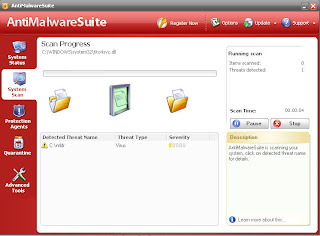
AntiMalware Suite makes it's way onto computer systems via misleading advertising that trick people with false security warnings. Once people click on these advertisement they are prompted to download and install AntiMalwareSuite. Once a AntiMalware Suite is installed on a computer it will run a system scan and report false infections in an attempt to scare the user into buying the full version of the software to clean the machine. AntiMalwareSuite will also bombard the user with popups and what look like system warnings showing false alerts. Once AntiMalware Suite is purchased the program is completely useless, it will continue to show false warnings and alerts, it will not protect the computer form future infections and it will not clean infections off the PC. Because AntiMalware Suite is configured to start automatically when the computer loads, it will cause the PC to be sluggish and experience performance issues.
AntiMalware Suite makes it's way onto computer systems via misleading advertising that trick people with false security warnings. Once people click on these advertisement they are prompted to download and install AntiMalwareSuite. Once a AntiMalware Suite is installed on a computer it will run a system scan and report false infections in an attempt to scare the user into buying the full version of the software to clean the machine. AntiMalwareSuite will also bombard the user with popups and what look like system warnings showing false alerts. Once AntiMalware Suite is purchased the program is completely useless, it will continue to show false warnings and alerts, it will not protect the computer form future infections and it will not clean infections off the PC. Because AntiMalware Suite is configured to start automatically when the computer loads, it will cause the PC to be sluggish and experience performance issues.
Subscribe to:
Comments (Atom)


